Shopify On-Site Messaging
Shopify On-Site Messaging App
Install the App
-
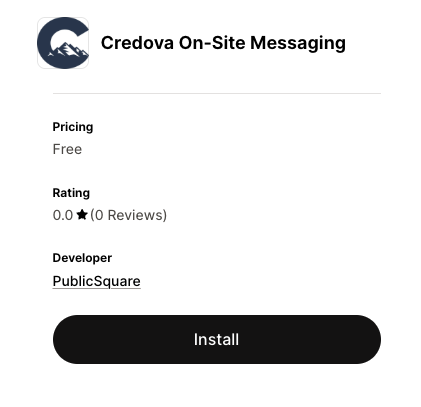
Go to the Credova On-Site Messaging app in the Shopify App Store: https://apps.shopify.com/credova-on-site-messaging
-
Click the Install button to add it to your Shopify store.
-
If you're not already logged in to your store, you'll need to login.
-
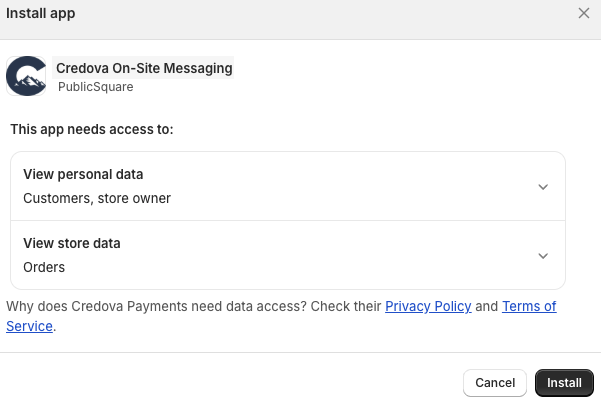
After you've logged into your store (or if you were already logged in), you'll need to click another install button on the dialog showing app permissions.
Customize the theme to show messaging
Add the As Low As block
- After installation, you'll see the app homepage. It has a link to the editor for the installed theme in Shopify Admin Dashboard. Click that.

- Under
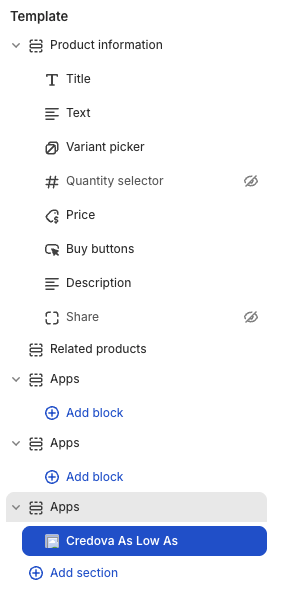
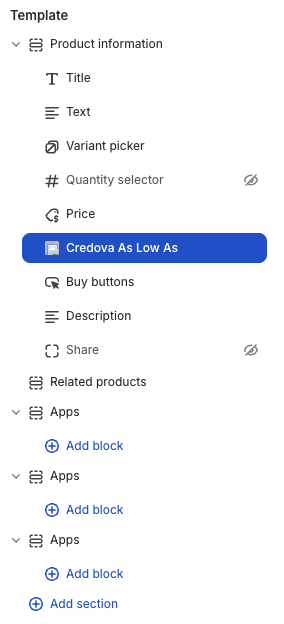
Templatein the menu for the product template, drag theCredova As Low Asblock showing underAppsin theProduct informationsection.
Before:
After:
Enable the app embed
- On the leftmost graphical menu, choose the "App Embeds" option (looks like 3 boxes and a "plus" (+) sign).
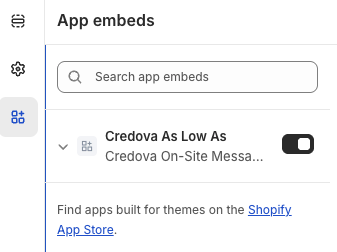
- Click the slider control to turn on the "Credova As Low As" app embed.
- Click the
Savebutton in the top-right corner of the editor.
You have now successfully edited your theme to include Credova on-site messaging.
View the messaging on your store.
- Exit the theme customizer by clicking the "Exit" link at the top left of the page.
- Open your store by clicking the "View Online Store" concentric circles graphic (that might be intended to resemble an eye) that shows when you hover over the "Online Store" in the Admin Dashboard.
- Choose a product in your store and observe the Credova messaging.
Enhanced Access
The enhanced access setting adds more value to your store's integration with Credova by allowing additional information gathering about orders placed in your store using Credova. With this option selected, Credova is able to gather information from Shopify and present it to merchants and customers in Credova. The only information Credova needs is information about the line items in orders to enable these features:
- Product information is included in Credova so you and your customers can see the products financed in Credova applications.
- Order identifiers are shared with and stored in Credova to enable more expedient support for questions about orders, checkouts, and financing.